
Phishing, vishing and other forms of fraud

Fraudsters use phishing emails, scam text messages, fraudulent websites, phone scams and other forms of financial fraud to steal personal information, banking credentials and account access. Learn how to recognize common fraud tactics, protect your accounts and report suspicious activity to OCCU.

Because when we work together, your finances and your information are doubly fortified against intruders.

Common scams to be aware of:

Common types of financial fraud

Scam name

How the scam works

Goal

Phishing

Vishing

Smishing

Skimming

Account takeover

Email

Phone call

Text message

Card reader device

Stolen credentials

Steal credentials

Obtain personal information

Direct users to fake sites

    
Capture card data

 Access financial accounts

Scam name

How the scam works

Goal

Phishing

Email

Steal credentials

Vishing

Phone call

Obtain personal information

Smishing

Text message

Direct users to fake sites

Skimming

Card reader device

    
Capture card data

Account takeover

Stolen credentials

 Access financial accounts

What are phishing, vishing and smishing?

Phishing is a scam in which criminals use fake emails, websites or messages to trick you into revealing personal information such as usernames, passwords or banking details.

Vishing (voice phishing) occurs when scammers call pretending to represent a trusted organization such as OCCU, the IRS or a law enforcement agency.

Smishing (SMS phishing) uses text messages that urge you to click links, download attachments or provide account information.

Protect yourself from fraud

We love getting to see and talk to our members. You’ll get the occasional email from us, and we’ll call you upon request. But we will never call, text or email asking for your PIN, password or your multifactor authentication code.

To protect yourself against scammers, please be highly suspicious when receiving phone calls or messages that direct you to provide credit card numbers, account information, verification codes or other personal information. If someone sends you a link, review the URL carefully to ensure it’s legitimate (MyOCCU, not My0CCU, for example) and when in doubt, navigate to the site in your web browser, rather than following the link.

Instead of providing any information, we advise you to contact the organization directly to verify the validity of the message (If the caller says they’re from OCCU, for example, hang up and call our offices.)

Signs of a scam

You may be dealing with a scam if someone:

  • Demands immediate action
  • Requests passwords or verification codes
  • Threatens account closure
  • Promises unexpected prizes or rewards
  • Pressures you to click a link

Preventing identity theft

Identity theft occurs when someone uses your personal information to open accounts, access financial services or commit fraud in your name.

To reduce your risk:

  • Use strong, unique passwords.
  • Enable multifactor authentication.
  • Monitor account and credit activity.
  • Shred sensitive documents.
  • Avoid sharing personal information through unsolicited emails, texts or phone calls.

What is account takeover fraud?

Account takeover fraud occurs when criminals gain access to your online banking, email or financial accounts using stolen usernames and passwords.

Once access is obtained, scammers may:

  • Transfer funds
  • Change account information
  • Make unauthorized purchases
  • Lock legitimate users out of accounts

What to do if you become a victim of fraud

  • Contact OCCU immediately.
  • Freeze affected cards.
  • Change passwords.
  • Enable multifactor authentication.
  • Monitor account activity.
  • Place a fraud alert on your credit report.
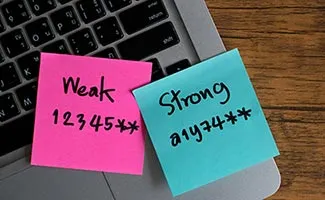
Decorative image for OCCU strong security password

Will OCCU ever ask for my password?

No. OCCU will not call, text or email you asking for your online banking password, PIN or multifactor authentication code.

What should I do if I receive a suspicious email?

Do not click links or download attachments. Contact OCCU directly using a verified phone number and report the message.

How can I tell if a text message is a scam?

Scam texts often:

Create urgency
Request personal information
Include suspicious links
Claim your account is locked

Always verify the sender before responding.

What should I do if I clicked a phishing link?

Immediately:

Change your password.
Monitor account activity.
Contact OCCU.
Run a malware scan on your device.

How do I report fraud to OCCU?

Call:

  • Local: 541-687-2347
  • Toll free: 800-365-1111
  • Debit card fraud: 888-918-7313
  • Credit card:
    • Lost or stolen: 866.820.0254
    • Regarding transactions: 855.755.6423

What is card skimming?

Card skimming occurs when a device installed on an ATM, gas pump or payment terminal captures card information without the cardholder's knowledge.

How can I protect myself from banking scams?

You can protect yourself by:

  • Using strong passwords
  • Enabling multifactor authentication
  • Monitoring account activity
  • Avoiding suspicious links
  • Verifying requests directly with OCCU

How do I know if a website is legitimate?

Before entering personal information, verify the website address, look for secure HTTPS encryption and ensure you're visiting the official organization website.

What is multifactor authentication?

Multifactor authentication (MFA) adds an extra layer of security by requiring a second verification method, such as a text message code or authentication app.

Can scammers spoof OCCU's phone number?

Yes. Fraudsters can manipulate caller ID to make it appear they are calling from a trusted organization. If you're unsure, hang up and call OCCU directly.

What information should I never share?

Never share:

  • Passwords
  • PINs
  • MFA codes
  • Secure access codes
  • One-time passcodes

Member security: Protecting your privacy and finances

Taking action to protect your data helps prevent identity theft and contributes to your long-term financial wellness. Learn more about basic online...
Read More

Member security: What you need to know about fraudulent websites

There’s a rise in spoofed websites and we’re here to help keep you and your financial information safe. Find out how you can avoid these tricky scams...
Read More

4 security tips for using ATMs

ATMs are a quick and convenient way to withdraw money from your account. Unfortunately, the popularity of ATMs may also attract thieves, so it’s...
Read More

Shop securely with these 8 tips

Internet fraud is by no means uncommon. We’re here to help. To make sure you’re doing everything you can to avoid scams, stay up to date with these...
Read More

How to spot fraudulent applications in your app or Play Store

More commonly referred to as malware, fraud apps seek to embed themselves in your phone and access your private information. That’s why we’ve compiled...
Read More

Report suspicious activity

If you have any concerns or questions about any email, phone call, text message or any other suspicious communication from OCCU, do not hesitate to call us:

Local: 541.687.2347

Out of area: 800.365.1111

To report fraud on your debit card: 888.918.7313

Decorative image for OCCU Security Resources

Fraud reporting timeline

If you suspect fraud: 

Immediately

  • Contact OCCU
  • Lock affected cards
  • Change passwords

Within 24 hours

  • Review transactions
  • Enable MFA
  • Scan devices for malware

Within 7 days

  • Monitor credit reports
  • Place a fraud alert if necessary
  • Continue monitoring account activity

How OCCU communicates with members

OCCU may contact you regarding account activity, loan applications or member service requests. However, OCCU will not ask for:

  • Online banking passwords
  • PIN numbers
  • Multifactor authentication codes
  • Secure access codes
  • Any account information, including account numbers or passcodes via email or text

If you receive a request for this information, contact OCCU directly.